
Slash Command Reference#
Here’s a handy reference for all the slash commands you can use with the Automated Pipeline Tool. Each command is designed to help you move smoothly through the process of building, reviewing, and publishing your textbook. Check the table below for a quick description and when to use it.
Command |
Description |
|---|---|
|
Parse PDF files in the |
|
Set up the Jupyter Book environment for lecture generation. |
|
Create structured lecture notes from parsed content. |
|
Build the textbook from parsed content and generate HTML output. |
|
Review, edit, or improve individual lecture notes. |
|
Publish the built textbook to GitHub Pages. |
|
Show help and troubleshooting information. |
Tip
You can use these commands as many times as needed. See each tutorial for workflow details.
Below you’ll find a quick guide to each command’s purpose and usage:
/parse_pdf#
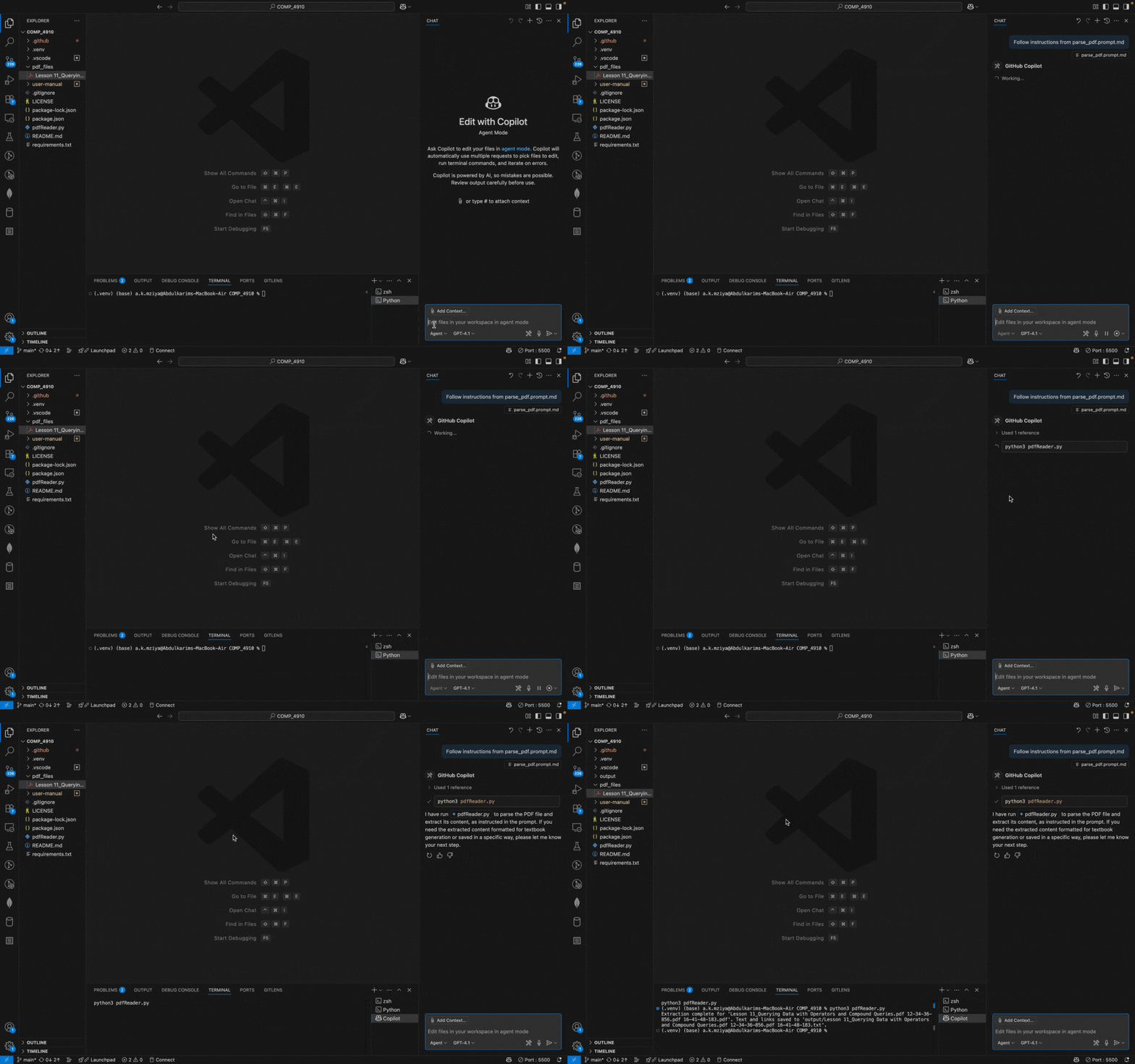
Purpose: Parse PDF files in the
pdf_files/directory and extract their content for textbook generation by running the PDF reader script.Usage: Place your PDFs in the directory and run the command. The agent will process each file and store results in
output/.
Demo: How to upload and parse a PDF
/initialize_jupyter#
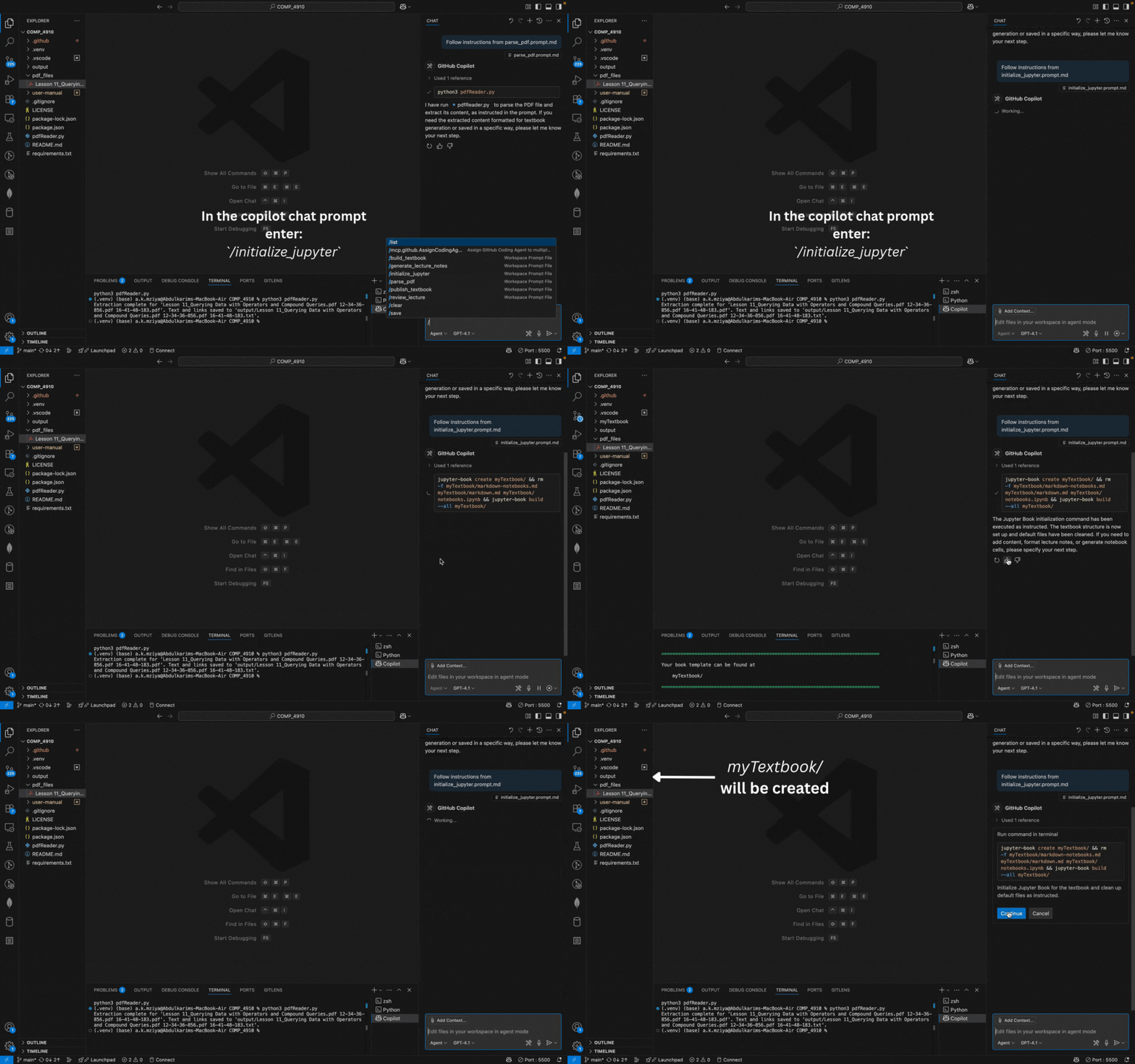
Purpose: Set up the Jupyter Book environment for lecture generation, preparing your project for lecture and textbook creation.
Usage: Run before generating lectures to ensure your environment is ready.
Demo: Initializing Jupyter Book
/generate_lectures#
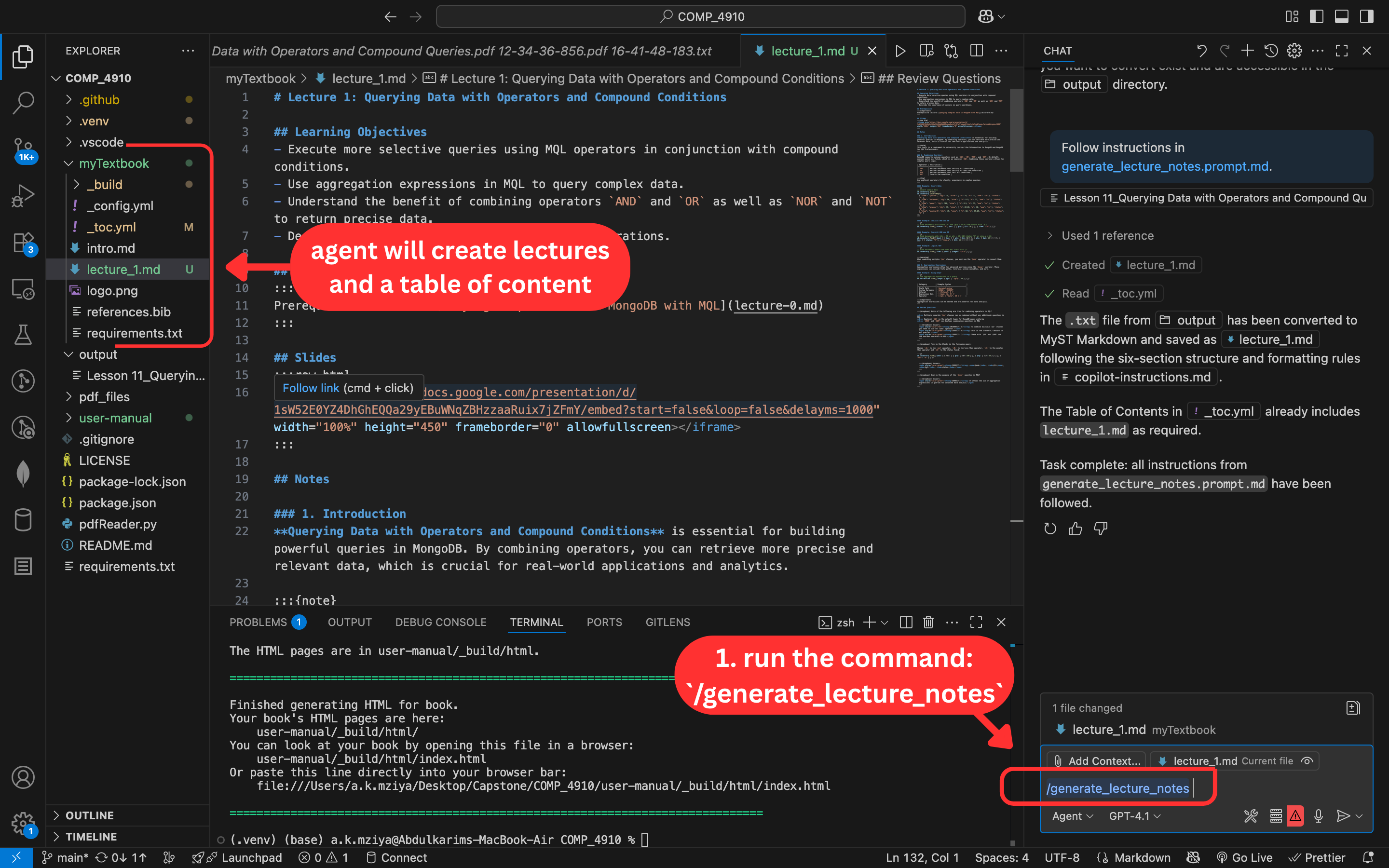
Purpose: Generate structured lecture notes from parsed content, converting extracted data into formatted lecture markdown files.
Usage: Run after initializing Jupyter. The agent will create and format lecture files.
Demo: Generating lecture notes
/build_textbook#
Purpose: Build the textbook from parsed content, generate HTML output, and create the build files required to view and host your textbook (e.g., in the
_build/html/directory).Usage: Run after generating the lecture notes. The agent will format and organize your content into a Jupyter Book and produce the files needed for viewing and hosting.
/review_lecture#
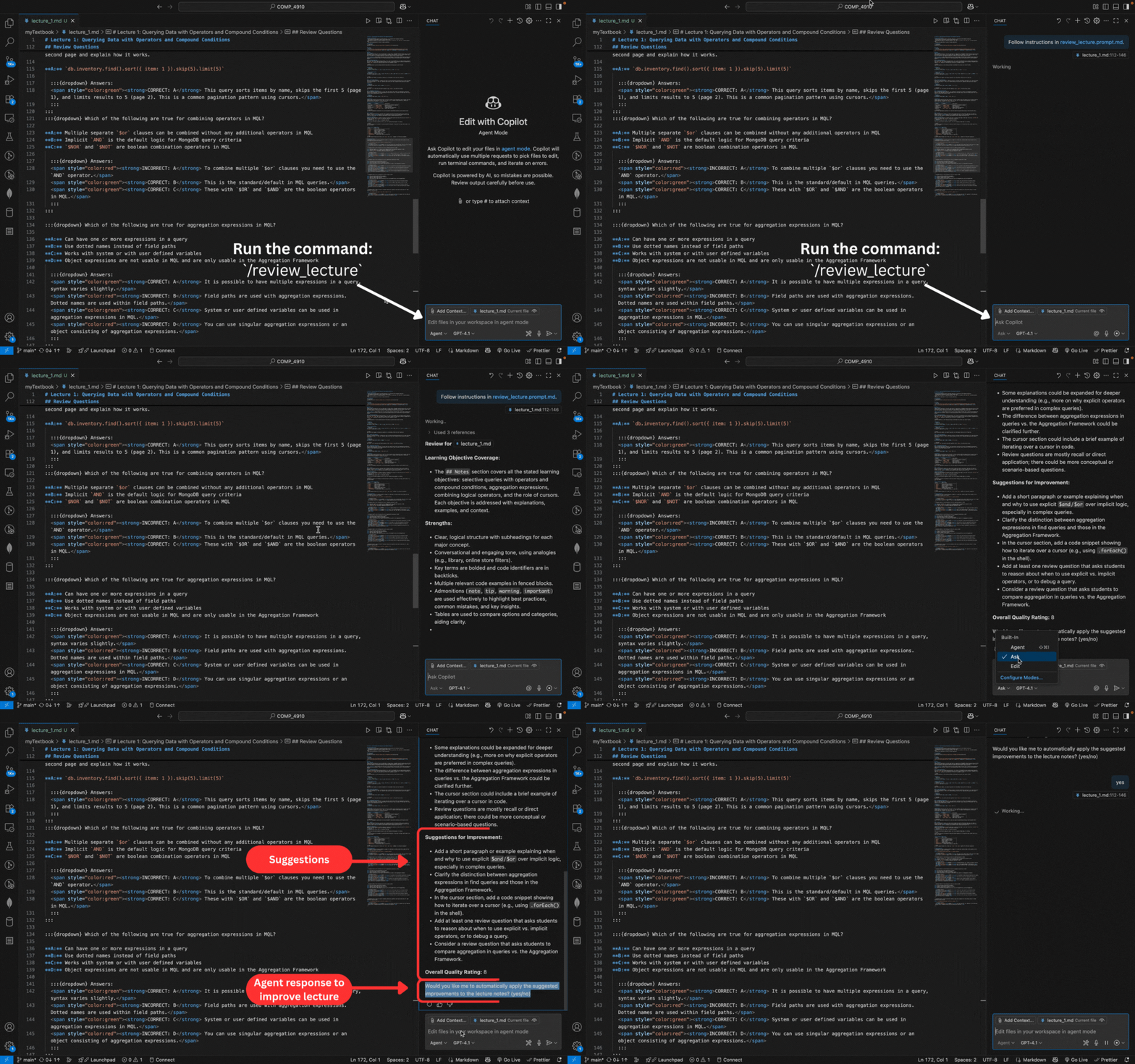
Purpose: Review, edit, or improve individual lecture notes by evaluating the
## Notessection of yourlecture_[i].mdfile against a model lecture for structure, clarity, tone, use of examples, pedagogical features, and completeness.Usage: Run to check or refine specific lectures before publishing. The agent provides a structured review with strengths, weaknesses, suggestions, and an overall quality rating (1–10), and offers to apply improvements if desired.
Demo: Reviewing a lecture note
/publish_textbook#
Purpose: Publish the built textbook to GitHub Pages by deploying the generated HTML to the
gh-pagesbranch, making your book available online.Usage: Run after building the book to deploy it online. The agent will handle installation of required tools and provide the published link.