
Pipeline Overview#
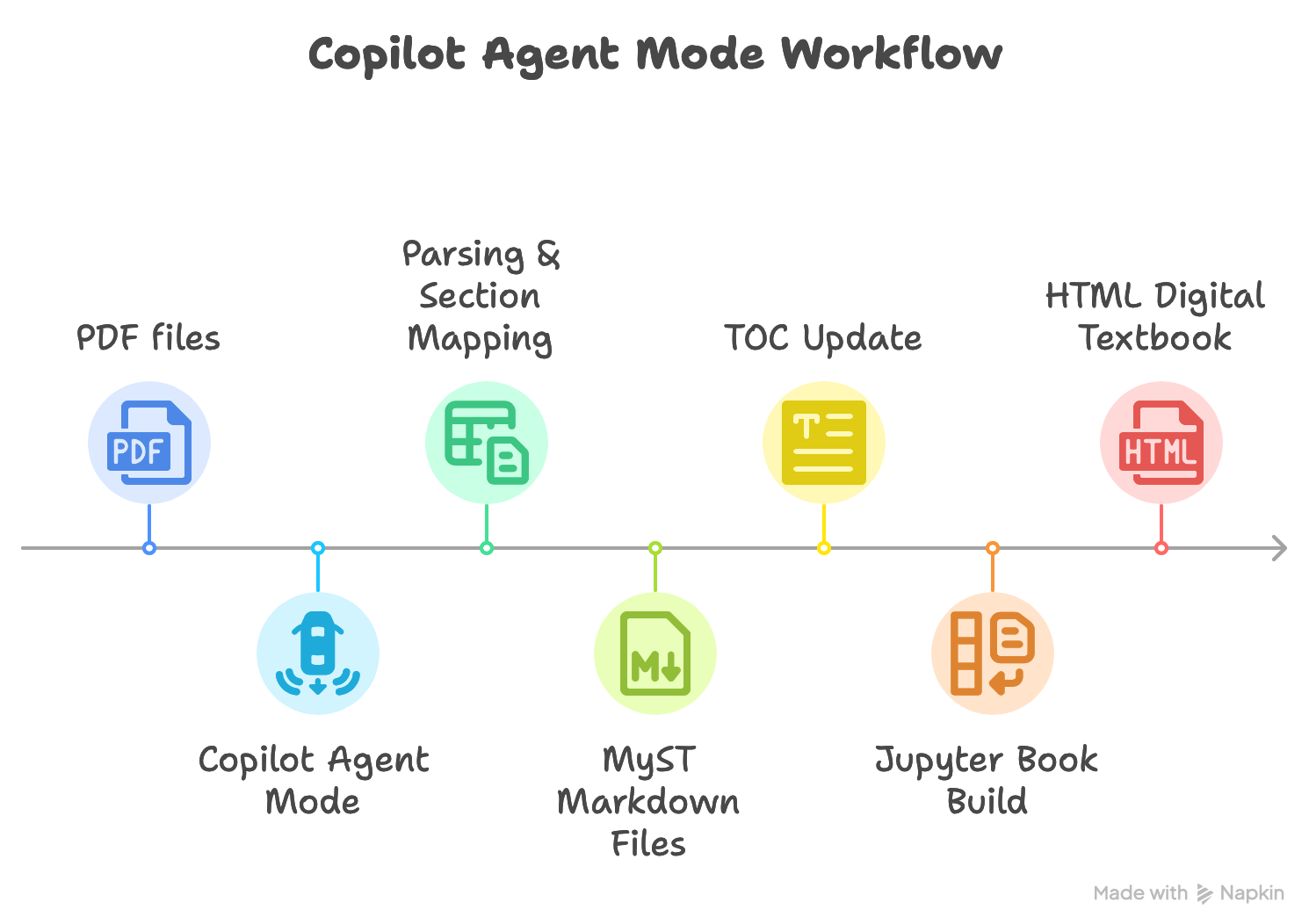
The Automated Pipeline Tool streamlines the process of turning raw lecture content into a polished, interactive digital textbook. It combines file parsing, content structuring, and publishing into a seamless workflow, so you can focus on teaching and learning rather than formatting.
How the Pipeline Works#
1. Input Acquisition#
Start by placing your raw .txt files (extracted from PDFs) in the output/ directory. These files contain the unprocessed lecture content.
2. Agent Activation#
The agent loads the Standard Operating Procedure (SOP) and begins processing your files. This ensures every lecture is handled consistently and according to your formatting rules.
3. Parsing & Section Identification#
The agent scans each file, extracts only the required sections (like Learning Objectives, Notes, Review Questions), and ignores irrelevant or redundant content.
4. MyST Markdown Structuring#
Extracted content is cleaned, organized, and enhanced with MyST Markdown features—such as admonitions, code blocks, and dropdowns—to improve readability and interactivity.
5. Output Generation#
Each processed .txt file is converted into a new, well-structured .md file in the myTextbook/ directory, ready for inclusion in your digital book.
6. Jupyter Book Integration#
The new Markdown files are referenced in _toc.yml, which controls the navigation and structure of your Jupyter Book. The _toc.yml file acts as the table of contents for your book—listing each chapter and section, and determining the order in which they appear. You can edit this file to add, remove, or rearrange chapters as your book evolves. Learn more about configuring _toc.yml in the Jupyter Book documentation.
7. Version Control & Review#
All changes are tracked in git, making it easy to review, revert, or collaborate on textbook content. By integrating with GitHub MCP (Model Context Protocol) servers, the pipeline enables seamless version control and collaboration. This means every edit, addition, or deletion is recorded, and you can easily roll back to previous versions, manage pull requests, and coordinate with contributors—all within your automated workflow. MCP servers also allow the agent to automate common git operations, such as committing changes, syncing branches, and handling merge requests, further streamlining the review and publishing process.
8. Publish & Deploy#
Once your book is ready, you can publish it locally for review or deploy it online (e.g., with GitHub Pages) to share with students and colleagues.
Tip
The pipeline is designed to be flexible—update your source files, rerun the agent, and your textbook will always reflect the latest content and formatting.